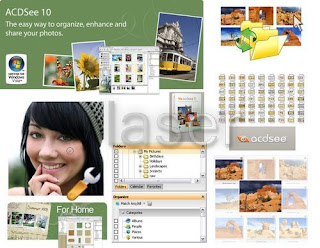
 ACDSee Photo Manager 2009 v11.0.85
ACDSee Photo Manager 2009 lets you quickly view and find photos, fix flaws, and share your favorites through e-mail, prints and free online albums. Never wait for an image to open again - ACDSee 2009 is the fastest viewing software around. Fill your screen with photos, zoom through your thumbnails, and view photos at full size. Plus, instantly see e-mail attachments or files on your desktop, with ACDSee's handy Quick View feature. Stay on top of your entire collection. Drag and drop photos into Windows® file folders, add keywords and ratings, edit your metadata, and create your own categories. Assign images to as many categories as you like without taking up more space on your computer. Rename, rotate and resize groups of photos at once.
With ACDSee, you'll never lose track of a single shot again, even if you have thousands of photos in your collection. Enter multi-word keywords like ”New Jersey” or ”wedding party”, search only specific folders, and find that one special image with the Quick Search bar. Use the handy Calendar or Events view to see photos from a birthday party, vacation trip or other special occasion.
Show off photos in their best light. Instantly adjust exposure, fix common problems like red eye and blemishes, and erase distracting objects. Rescue photos that are too light or dark with a single click, thanks to ACDSee’s patent-pending Shadow/Highlights tool. Write text, add a vignette, or apply an artistic effect such as sepia, stained glass, or crayon drawing. You can even adjust a selected area of your photo, such as a single flower or a face in the crowd.
E-mail photos without worrying about file sizes. Create CDs, DVDs, prints and more. Upload to sites like flickr™ and Smugmug without having to leave ACDSee. Post a photo widget on your website or blog, powered by your free SendPix online album. With ACDSee’s print layout tools it’s easier than ever to print your photos from home. ACDSee works within your print margins and helps you print multiple prints on a single page, fill an entire page, or create custom print sizes.
Staying organized with new tools from ACDSeeThe new Import tool puts this power into the hands of users, who can now rename, back up, categorize and add keywords to images as they are acquired from a camera, card reader, CD/DVD or other storage device. Used in conjunction with ACDSee Photo Manager’s Auto Categories, which automatically organizes images according to camera metadata, organization is completed as collections grow.
Protect and share custom organization
ACDSee users love that they can supplement camera metadata (IPTC and EXIF) with their own custom metadata, including categories and ratings, in ACDSee Photo Manager. Customers can now protect and share this custom information with other ACDSee users by embedding it into their images. Users who manage many image types can now include important information even with file formats that don’t support camera metadata, such as PNGs, PDFs and GIFs.
Frame and share photos
Photographers can quickly and creatively add a finishing touch with a custom border, drop shadow or edge effect, then share favorite images with friends and family with quick uploaders to online tools like flickr™. Users can show off photos in auto slide shows and screensavers that now include creative presentation options such as pan & zoom, black & white and sepia effects and music.
Save originals
ACDSee Photo Manager automatically saves and preserves the original image file when it is first opened for editing within the software. Users can restore to the original at any time after making image edits like adjustingcolors, cropping or adding creative elements, such as borders, frames and effects.
Save searches
Users can build complex searches based on folder name, file name, location, custom categories, ratings and other metadata, then save time by storing custom search criteria for future use.
What's New
- Organize while you import your photos
- Add custom borders, drop shadows and edge effects
- Restore your original at any time for worry-free editing
- View images from around the world with UNICODE support
- Include categories and ratings when you share photos
- Work smarter with Saved Searches
- Play enhanced slideshows
OS: Windows XP/Vista
Keywords: photos, ACDSee, custom, share, Photo, images, metadata, categories, image, Manager, print, ratings, through, single, other, prints, online, keywords, Users, email
Link Download
 Portable Adobe Fireworks CS3 | 141.34 MB


